

v4.0 [Oct 9, 2014]
- The import of question data has been expanded to include data from a variety of text formats, including data exported from Blackboard and Respondus.
- Question data from Schoolhouse Test saved tests can be exported to a variety of formats that will work with programs like Moodle, Blackboard and Respondus. (Only available in Schoolhouse Test: Professional.)
- Tabs, indents and list formatting have been added to all question and design item rich text boxes.
- A Question Bank feature has been added which makes it very easy and intuitive for selecting and importing questions from previously saved tests. (Only available in Schoolhouse Test: Professional.)
- Additional tags have been added to both question and design items making it easier to filter and select items for a test.
- A Status (red - under construction, yellow - needs review, green - completed) can be assigned to each question and design item, giving you visual clues of your progress while you construct and edit items for your tests.
- Design Edit has new updated tools for sorting, selecting, filtering and randomizing test items. (Only available in Schoolhouse Test: Professional.)
- Test layout has become more customized with the addition of a 1-column and 2-columns formatting option to Page Break (Design Items). (Only available in Schoolhouse Test: Professional.)
- The Randomize tool has been updated to provide more control over the process of randomizing. (Only available in Schoolhouse Test: Professional.)
- New types questions have been added: Checklist, Table and Statements. (Only available in Schoolhouse Test: Professional.)
- The Header and Footer have both been upgraded to allow for two lines of text and the addition of a picture. Also new tags have been added for the text fields to add a version number to a field and the file's name to a field.
- Expanded status bar at the bottom of the program window that displays test summary information and provides a version number control (that is linked to Randomize and will display on the test if the version tag is used with Header, Footer or Title Group).
- Formatting options have been expanded in Document View and Answer Sheet View. For example, marks can now be added to an answer sheet.
v2.3 [Mar 31, 2008]
New test items.
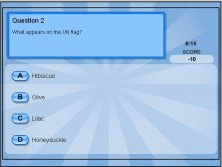


Do you think you know everything? If so, prove it with General Knowledge Quiz.
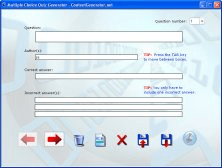

It allows anyone to generate their own Flash-based multiple-choice quizzes.


Start the test when you are instructed to do so by your invigilator/teacher.


